
How to replace remove.bg before 1 December
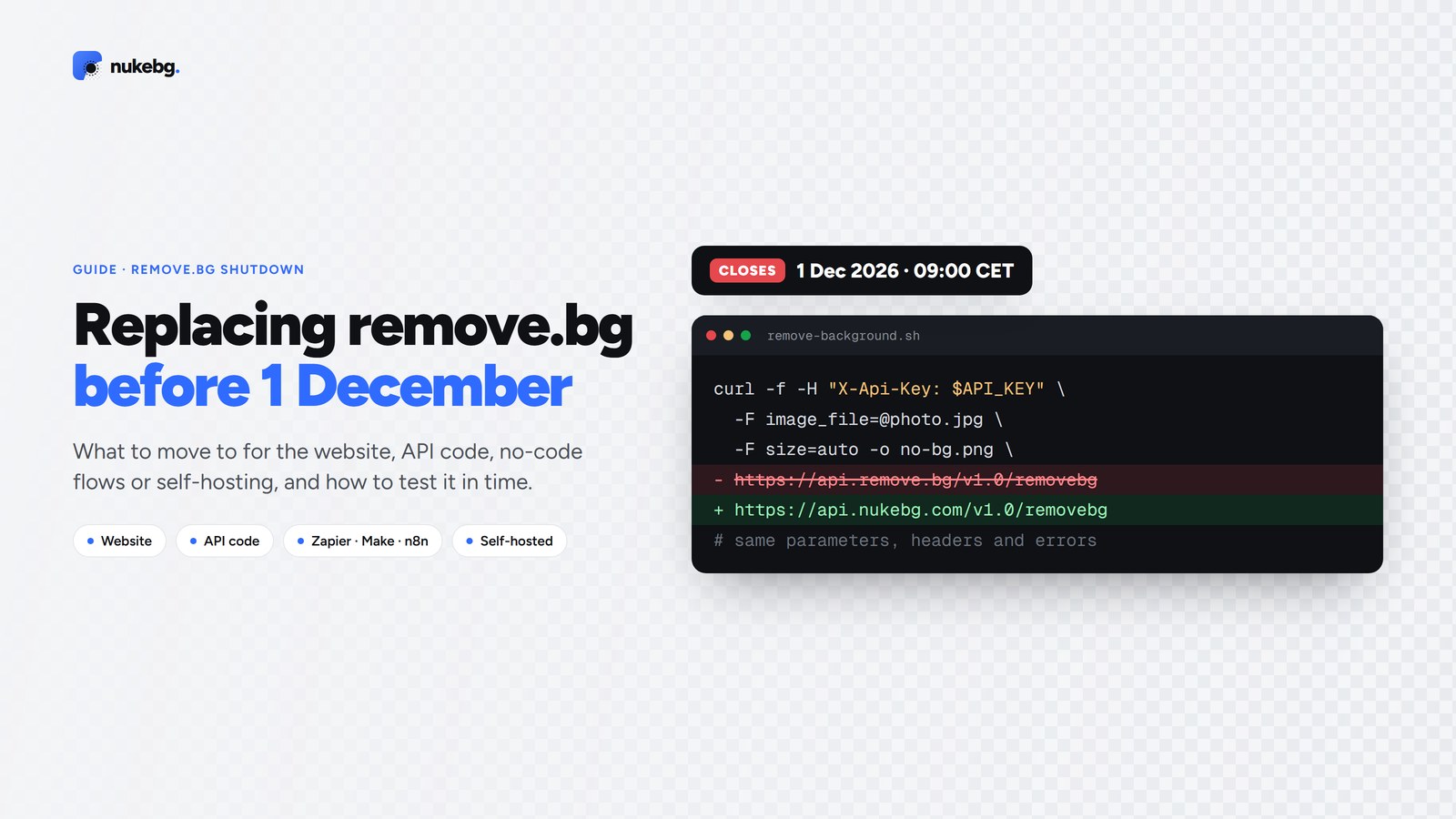
remove.bg's standalone website and self-serve API end on 1 December 2026, 09:00 CET. What you should move to depends on how you use it: on the website, Canva or any dedicated background remover will do; for API code, either rewrite for Leonardo.Ai, the official successor, or switch to a remove.bg-compatible API and change one URL; and if images can't leave your network, run the open-source rembg yourself. Whichever you choose, find every place that calls remove.bg first, and test the replacement on your own images before the deadline.
Updated
What changes on 1 December
remove.bg announced that its standalone service closes on 1 December 2026, 09:00 CET. In short:
- Uploading on the remove.bg website stops working. Background removal moves into Canva.
- Self-serve API access moves to Leonardo.Ai, which uses a different API, so existing integrations need code changes.
- Coverage of remove.bg's FAQ says the Photoshop plugin, desktop app and other integrations end on the same day.
- Coverage of remove.bg's FAQ also says unused pay-as-you-go credits expire on 1 December, so use them or check remove.bg's FAQ for your plan.
- remove.bg says existing Enterprise contracts are not affected.
Step 1: find everywhere you use remove.bg
Before choosing a replacement, make a list. It's easy to miss the one script that runs once a month.
- Search your code and config for api.remove.bg and for the environment variable that holds your key.
- Check Zapier, Make and n8n for steps that post to api.remove.bg.
- Ask your team who uploads on the website, and who uses the Photoshop plugin or desktop app.
- Note roughly how many images you process a month, and what you do with the cutouts (transparent PNG, white background, marketplace sizes). That decides which plan and which tool fit.
If you used the website
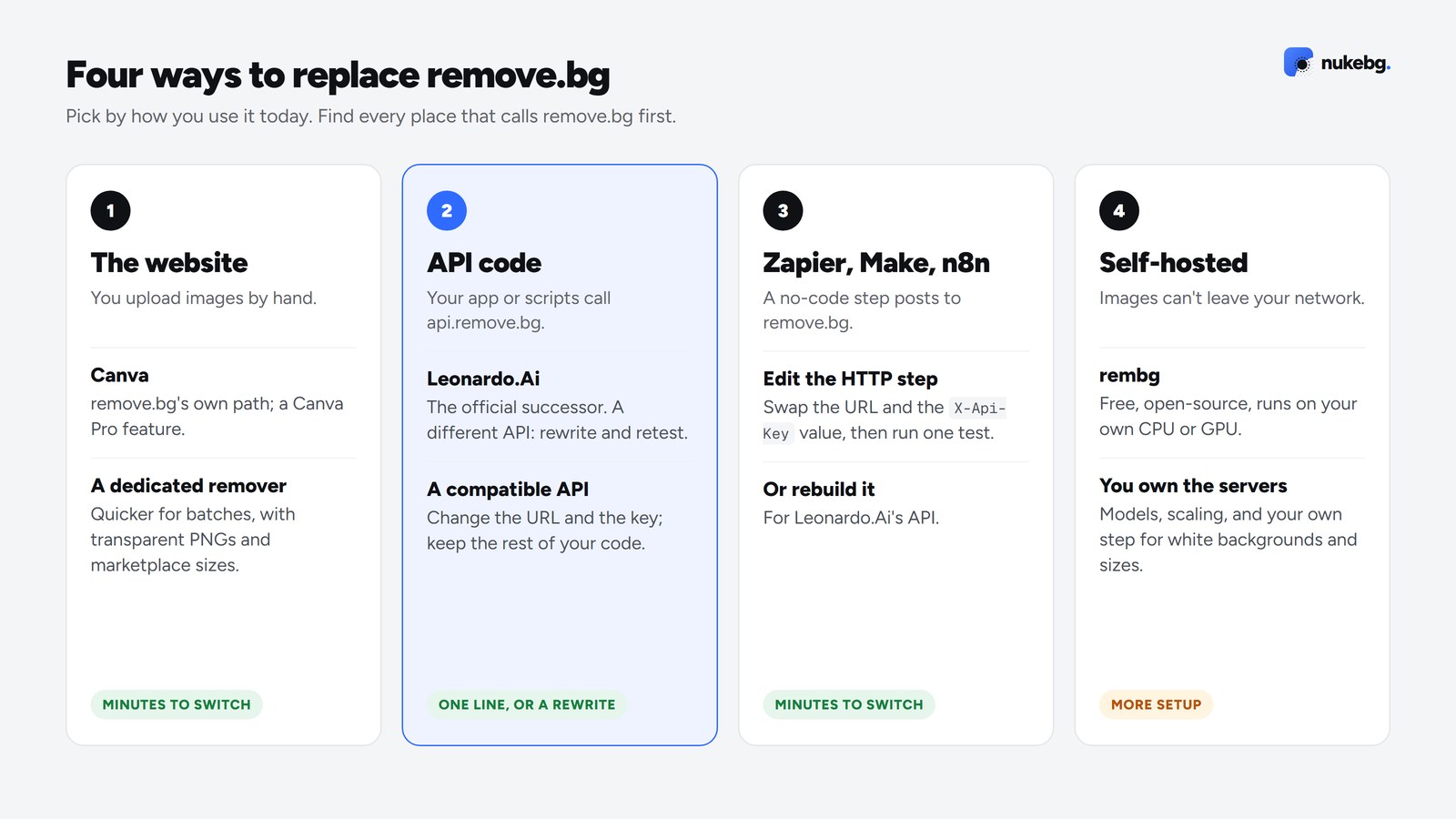
If you upload images by hand, any good background remover will do the job. remove.bg's own path is Canva, where background removal is a Canva Pro feature, which suits you if you already design there.
If you only need cutouts, a dedicated tool is quicker for batches. NukeBG gives every account 50 free credits and 20 a month with no watermark, and takes 100 images at a time in the Studio. Photoroom, Pixelcut and Clipdrop have free tiers too; the comparison further down has the details.
If your code calls the API
You have two paths. The official one is Leonardo.Ai: requests are shaped differently, so plan time to rewrite and retest the integration.
The other is an API that accepts remove.bg's requests unchanged. NukeBG's https://api.nukebg.com/v1.0/removebg takes the same parameters (size, crop, bg_color and the rest) and returns the same headers and error format, so you change the URL and the key and keep the rest of your code.
curl -f -H "X-Api-Key: $REMOVEBG_API_KEY" \
  -F image_file=@photo.jpg \
  -F size=auto \
  -o no-bg.png \
  https://api.remove.bg/v1.0/removebg
If it runs in Zapier, Make or n8n
Open the step that posts to api.remove.bg (Webhooks by Zapier, Make's HTTP module or n8n's HTTP Request node). With a compatible API, change the URL and the X-Api-Key value and leave every other field as it is, then run one test. With Leonardo.Ai, rebuild the step for its API.
If you'd rather run it yourself
If images can't leave your network, or you already run GPUs, the open-source rembg library removes backgrounds on your own machine for free. You take on the servers, model downloads and scaling, and you'll need your own step for white backgrounds and marketplace sizes. Our guide to rembg vs a background removal API covers when that trade-off is worth it.
The options compared
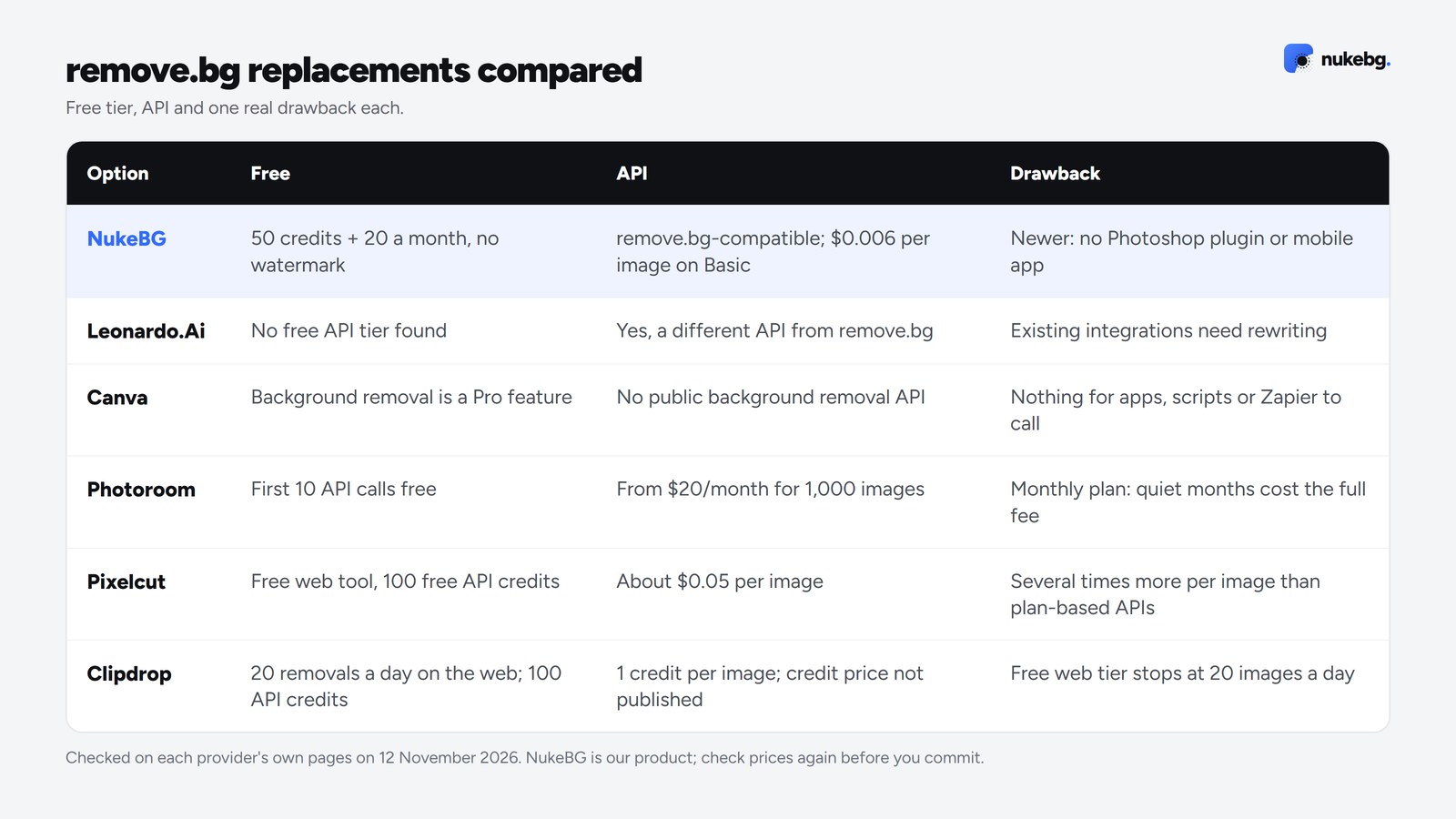
Prices and free tiers as checked on each provider's own pages on 12 November 2026, each with one real drawback. Check them again before you commit.
- NukeBG: best for sellers and developers who want to switch without rewriting code. Free: 50 credits at sign-up plus 20 a month, no watermark (free exports up to 2 MP). API: Yes, remove.bg-compatible. $0.006 per image on Basic. Drawback: Newer and smaller: no Photoshop plugin or mobile app, and video is limited to 60 seconds.
- Leonardo.Ai: best for remove.bg API users who want the official successor. Free: No free API tier found. API: Yes, but a different API from remove.bg. Drawback: Requests are shaped differently, so existing remove.bg integrations need rewriting and retesting.
- Canva: best for people who already design in Canva. Free: Background removal is a Canva Pro feature. API: No public background removal API. Drawback: A design suite, not a removal service: nothing for apps, scripts or Zapier flows to call.
- Photoroom: best for product photos on a phone. Free: First 10 API calls free. API: Yes, about $0.02 per image on the Basic API plan. Drawback: API pricing is a monthly plan, so quiet months still cost the full fee.
- Pixelcut: best for quick one-off cutouts in the browser. Free: Free web tool, plus 100 free API credits. API: Yes, about $0.05 per image (5 credits at $0.01). Drawback: API cutouts cost several times more per image than plan-based APIs.
- Clipdrop: best for occasional use alongside other AI image tools. Free: 20 removals per 24 hours on the web; 100 free API credits. API: Yes, 1 credit per successful image. Drawback: The free web tier stops at 20 images a day, and API credit prices weren't published when we checked.
Test before the deadline
Switching a URL is quick; finding out on 1 December that the edges look different isn't. A short test plan:
- Run 20 to 50 of your real images through the replacement, including the hard ones: hair, fur, glass, shiny products and low contrast.
- Compare the files, not just the look: format, size, transparency and colour.
- Check how your code handles errors and rate limits from the new service.
- Keep remove.bg running until you're happy, then switch with a config change so you can switch back while it still works.
- Use up any remove.bg credits you've paid for before they expire.
Switch your remove.bg calls in one line
Change the URL and key, keep your code. 50 free credits to test with, no card.
Frequently asked questions
remove.bg's standalone website and self-serve API end on 1 December 2026, 09:00 CET. Background removal moves into Canva and API access to Leonardo.Ai. Existing Enterprise contracts continue.